Crossroads for admissions teams
Admissions application software for higher education
Shape the application your institution needs. Arrange questions, show different sections to first-year and transfer applicants, and help applicants find and correct missing required answers.
One application. Questions that fit the applicant.
Read the visual walkthrough
This silent demonstration shows a staff member defining which applicants see a section.
- In the builder, open the display rule for Previous colleges.
- Choose Applicant type, the operator “is”, and the value “Transfer”. Save the rule and use “Show section”.
- In the applicant preview, First-year does not show Previous colleges. Switching to Transfer reveals it.
- The revealed section is incomplete: Previous college name is required and blank. Switching back to First-year hides the section again.
Start with the questions.
Then test the path.
See the application from both sides: the staff preparing it and the applicant working through it.
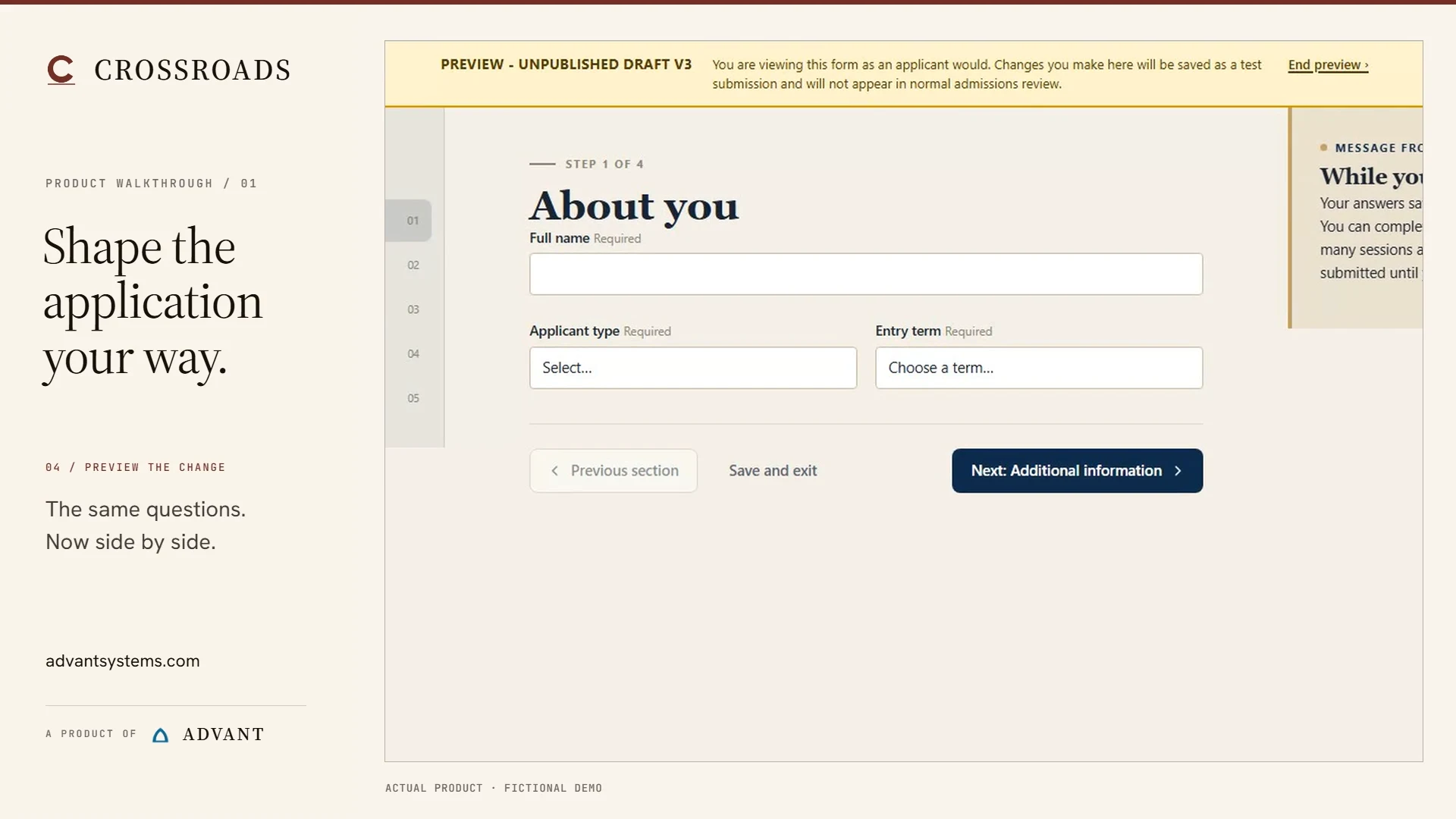
Arrange the application
Resize a field, move it and preview the layout.
Watch the layout change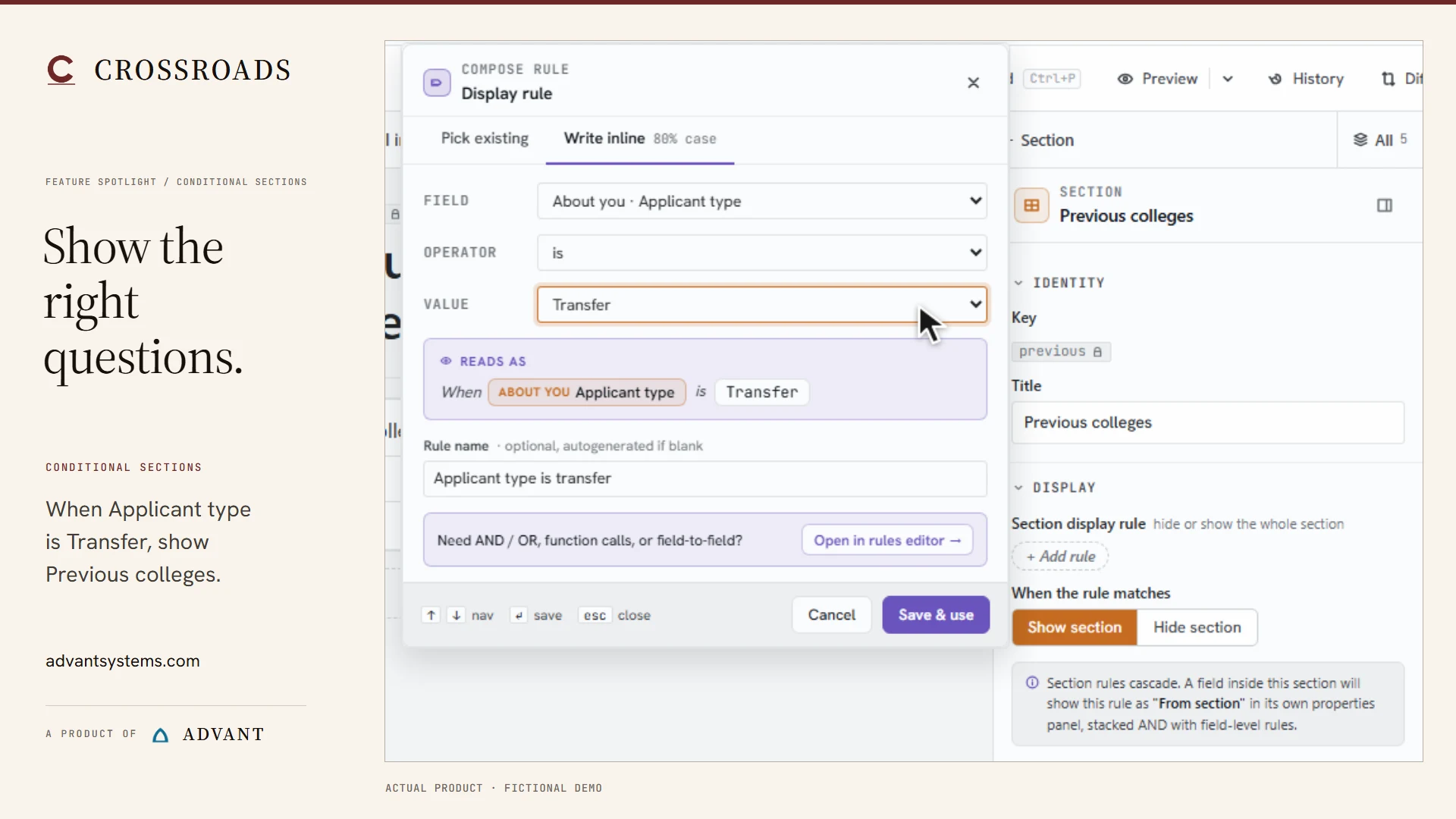
Show relevant sections
Follow First-year to Transfer and back again.
Watch the conditional path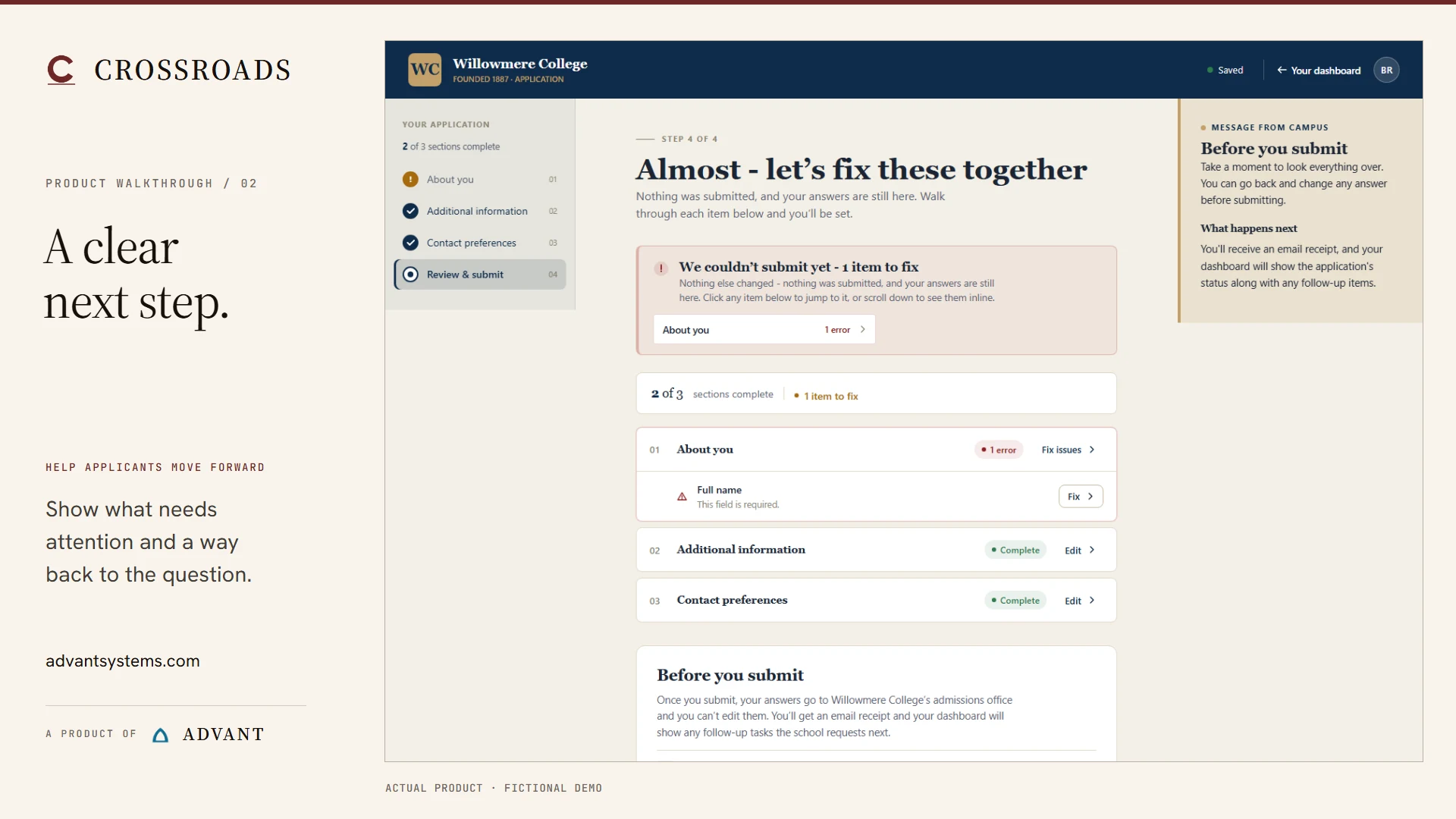
Make correction clear
Find a missing answer, fix it and return to review.
Watch the correctionThree guided development-sandbox demonstrations. Actual product, fictional data.
Your institution's process.
Your applicants' next step.
For admissions teams at colleges, universities and college systems. Start with the application your team needs to manage, then consider the requirements, review and decisions around it.
A useful evaluation connects the form to the people and handoffs behind your admissions process.
Explore the wider admissions processA practical guide for admissions staff
Before the next cycle,
test the application.
Twelve checks for the layout, conditional paths, corrections, saving and final submission. Use with any application platform.
Read the 12-test checklistFree to read. No form to fill in.
Three places to start
- Check each applicant pathDo first-year and transfer applicants see the right questions?
- Find and correct an answerCan the applicant reach the error and keep their other answers?
- Verify the final stateIs the application saved as a draft or actually submitted?
Implementation & migration
Plan the move around
your admissions cycle.
Plan your admissions software implementation with a clear migration scope. Start with the information that needs to move, the people doing the work and the help your team needs.
Security and data questionsCrossroads by Advant
See Crossroads around
a task your team handles.
Choose a product demo or a focused conversation about your admissions process, integrations or move from your current system.